The Tesco Clubcard AI feature rollout is now under way, putting an AI meal planning assistant in the hands of up to 23 million Clubcard customers. After a four-month internal trial with roughly 280,000 colleagues, Tesco has started pushing the tool out to shoppers — and it does more than suggest recipes. It reads your Clubcard purchase history, works out what you probably already have in your cupboard, and builds a meal plan around it.
Here is what the assistant actually does, when it rolled out, and what it changes for ordinary shoppers.
What the Tesco Clubcard AI feature actually is
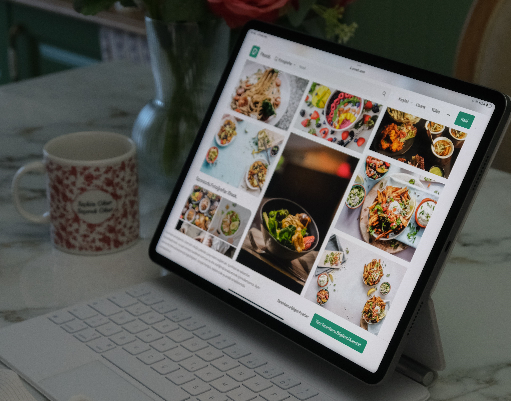
Tesco's own help centre describes it as a new AI-powered experience inside the Tesco app that offers meal and recipe inspiration, lets you build a meal plan, and helps you check ingredients. In the app it appears under the name Meal Planner.
Unlike a static recipe page, it is built for conversation. Tesco's April announcement described it as offering a natural, two-way dialogue — you tell it what you feel like eating, and it comes back with personalised recipe ideas.
The personalisation layer is the Clubcard link. Because the assistant can see what you buy with your Clubcard, Tesco says it can advise you on what you may already have in your cupboard or fridge instead of sending you back to the shop for things you own.
Feature breakdown
- Personalised recipe ideas based on your tastes, served up through a two-way chat rather than a search box.
- Dietary preferences taken into account — the assistant filters suggestions around how you eat, not just what's popular.
- Search by cost, cuisine, or both — you can ask for something cheap, or something Thai, or something cheap and Thai.
- Cook from what you already have — list the items sitting in your fridge that you want to use up, and the assistant builds a dish around them.
- Clubcard-informed suggestions — purchase data is used to work out which staples you likely already own.
- Built into the Tesco app, as part of a longer-term plan to widen what the app does across your day-to-day life.
Rollout timeline: from 280,000 colleagues to 23 million Clubcard customers
The Tesco Clubcard AI feature rollout happened in three stages.
| Stage | When | What happened |
|---|---|---|
| Development | Autumn 2025 | onward Tesco's in-house teams worked with Tomoro AI, a UK consultancy founded in 2023 in alliance with OpenAI, under what Tesco described as strict secrecy protocols |
| Colleague trial | April 2026 | Around 280,000 employees were given early access. They tested the assistant, gave feedback, and were even asked to suggest names for it |
| Customer rollout | September 2026 | onward Tesco began expanding the assistant out to customers; by 8 October 2026 UK media reported the rollout reaching 23 million Clubcard customers |
Announcing progress in October 2026, Tesco chief executive Ken Murphy said the company was making strong progress on AI-enabled personalisation, extending Your Clubcard Prices and beginning the customer rollout of our meal planning assistant, helping customers manage their busy lives.
Two things worth noting for anyone tracking this closely. First, the rollout is phased — Tesco has not published a single completion date by which every Clubcard holder will have it. Second, this is not Tesco's first AI move: the retailer has doubled its technology team over the past five years and signed a three-year strategic partnership with European AI start-up Mistral. AI has also been running behind the scenes of its Clubcard programme for years.
What it means for shoppers
The stated aim is to save customers time, stress and money while reducing food waste — and those three words map cleanly onto real shopper behaviour:
- Time. Meal planning usually means jumping between recipe sites, a notes app and a supermarket tab. The Tesco Clubcard AI feature collapses that into one conversation inside an app people already open.
- Stress. What's for dinner is a daily decision. Handing it to an assistant that already knows your dietary preferences lowers the cost of that decision.
- Money. Recipes that start from ingredients you own, and that can be filtered by cost, push spending down — which matters more than ever in UK grocery, where Clubcard pricing is already the main loyalty lever.
- Less waste. Ingredients already in the cupboard get used instead of forgotten, which is the one metric where both shopper and retailer win.
The bigger signal is strategic. Loyalty programmes have spent a decade collecting purchase data; the Tesco Clubcard AI feature rollout is one of the first large-scale attempts by a UK grocer to hand that data back to the customer as a useful tool rather than a discount.
How to turn any cooking video into a recipe (with Video to Recipe)
An AI meal planner solves the what should I cook problem — but it can't help with the recipe you just watched on YouTube, TikTok or Instagram, where the ingredient quantities live in a 40-second voice-over. That's the gap Video to Recipe fills: it converts a cooking video (or reel) into a structured, editable recipe — ingredients, step-by-step instructions and calorie estimates — instead of pausing and guessing.
How to use Video to Recipe in four steps:
1.Upload your cooking video. Drop the file in directly — the tool accepts MP4, MPEG, WMV, FLV and MOV, up to 1000MB per file. Videos saved from YouTube, TikTok, Instagram and similar platforms can be uploaded the same way. 2.Click the button to begin video analysis. The engine scans the footage frame by frame and listens to the audio, identifying ingredients and the actions being performed — including ingredients that are mentioned but never shown on screen, and estimating quantities where they aren't stated. 3.Get an instant recipe output. You receive a clean, structured result: full ingredient list plus ordered instructions, generated in seconds rather than transcribed by hand. 4.Save it to your local PC. Each output is plain, editable text, so you can correct quantities, adjust for your own portions, then export or save it into your personal recipe library for later. Each extraction costs 10 credits on the tool's credit system, so it's worth collecting the videos you actually want to cook before you start.
A practical workflow that pairs the two:
use the Tesco Meal Planner to decide what you're eating this week and to shop from what you already have, and use Video to Recipe to capture the recipes you save from social videos — then paste those ingredients into your weekly plan. One handles planning, the other handles capture; you stop losing recipes in your saved-videos folder.
FAQ
Is the Tesco Clubcard AI feature free?
It sits inside the Tesco app and is tied to your Clubcard account. Tesco has presented it as part of the Clubcard experience rather than a separate paid product.
How do I find out if I have it?
Open the Tesco app and look for the Meal Planner experience. The rollout is phased, so not every Clubcard holder has it yet.
Does it use my Clubcard purchase data?
Yes — that's the core of it. Purchase history is what lets the assistant distinguish between what it's suggesting in general and what you probably already have at home.
Summary
The Tesco Clubcard AI feature rollout marks the moment a UK grocer's loyalty data stopped being only a discount engine and became a cooking assistant. For shoppers, the practical upside is simple: less time deciding, fewer forgotten ingredients, smaller baskets built around food you already own. Pair it with a Free Video to Recipe tool for the recipes you save from social, and the whole loop — inspiration, planning, cooking — runs without leaving your screen.